HTML Snapshot ActiveX Component

Features |  FAQ | History | Manual | Support | Buy! | Clients | Samples

Do you ever want to take a screen shot of a web page in your desktop or web application? Html Snapshot can capture the whole web page as JPG, BMP, PNG, TIFF and GIF image on the fly. Add "Html to image" or "html to jpg" feature to your application now!

HTML Snapshot ActiveX can download and parse web sites and save a screenshot of the page in GIF, JPG, JPEG, BMP, PNG, TIFF, WMF and EMF. You can choose to capture the entire page, or a thumbnail image of a specified size, and save it to a local folder.

Key Benefits

  • It is a flexiable component to convert html (flash movie support), mht, VML, SVG and text to image on the fly to file or in memory.

Not only html files, the plain text files as well as the Web Archive Format (*.MHT) files can be converted to image with HTML Snapshot easily, too.

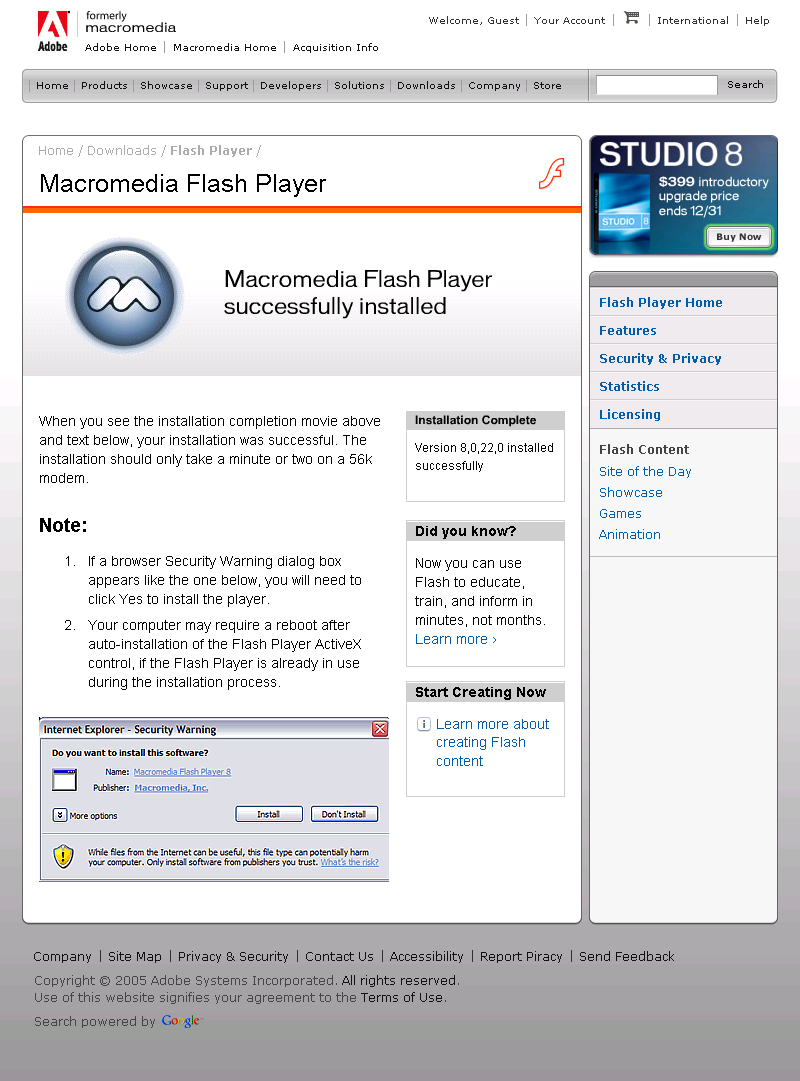
HTML Snapshot can capture web pages with flash movie without problem. Check out the snapshot of macromedia.com. Get interested?

Html Snapshot can convert the VML - the Vector Markup Language to image. VML markup can be embeded in html files so it can be converted just like "html to jpg". SVG can be also supported with the Adboe SVG plugin installed.

HTML Snapshot can allow you to batch process URLs from a text file and automatically parse a large number of sites. HTML Snapshot is a standard COM DLL server, allowing you to generate a thumbnail via query string from your web browser. This is one of the best HTML to image converters.


Free Download & Try Now . No functionality limitation except watermarks in the generated image for the unregistered version.
Buy Now. Remove the watermarks. $149.95 For Single Developer License. $299.95 For Developer Team License.

Notes: If you are looking for an application that converts html to image. Please try Html To Image
If you are looking for a solution that converts html to image on linux. Please try Html To Image Linux

  • Convert html to image into various image formats like JPEG and TIFF etc. with custom saving options.

You may want to control the compression quality of JPEG or change the compression method of TIFF image. No worry. Html Snapshot has done these for you. For TIFF, you can easily get images ready for Windows FAX Service.

You can also convert html into vector image format like WMF and EMF. The result image can be rendered into high quality bitmap format later.

Html snapshot can generate transparent GIF from html as well. Sometimes, you may want to convert 24 bit color bitmap file to gif file, which only supports 256 colors. Html Snapshot provides function to effectively reduce the color in image while keeping the quality of the image as much as possible.

  • Html snapshot can be used in many programming or script languages to convert html to image, what's more, it is easy to start using html snapshot with rich samples.

With Html Snapshot, you can build thumbshot server for millions of web pages easily. You have full control of the database yourself. And Html Snapshot is especially suitable to be used on server side. It works well on Windows 2000 Server, Windows 2003 Server and can be used with popular server side script languages like ASP, ASP.Net, PHP and Perl etc. No need to pay monthly subscription fee for thumbshot service providers now!

HTML Snapshot ActiveX Component can take (capture) a whole snapshot of a given URL. It downloads web page and then capture it as image. It can be easily integrated into applications written in languages that support ActiveX Component such as Visual C++, Visual Basic, Delphi, C++ Builder, .Net languages,  Java, Scripts like Perl, Php, Python.

Here is the snapshot of this page captured by HTML Snapshot.

In short, if you are looking for the programs, such as convert html to image, html image, html2image, html to image, htm2img, htm to img, html2gif, html to gif, html2jpg, html to jpg, html2jpeg, html to jpeg, html2bmp, html to bmp, html2png, html to png, html2tiff, html to tiff, software to convert html to image, Html Snapshot is suitable for your purpose. HTML Snapshot works with all Windows version with Internet Explorer 5.0 or above and with Internet Connection. It is a program without any hassle to install. Just save it to your desktop and run our demos.

My fellow programmers, don't spend your precious time to reinvent the wheel now. Get Html Snapshot for ONLY $149.95 NOW!  Then you can easily add the "Html to jpeg" function to your web or desktop applications. You can call it from your favorite development tools. Many working examples are supplied. Just have a look at them, you will find html snapshot is so easy to use.

Note: If you are looking for an application that converts html to image. Please try Html To Image
Note: Looking for image conversion component (convert jpg to png, tiff, bmp, gif). Please try our parnter's Active Image.
News: Html Snapshot is upgraded to 2.1. This version adds a bunch of new methods for advanced usage.
News: Html2image for linux is released. You can convert html to image easily on your linux servers.

Testimonials

"The Best Program Of Its Kind On The Market!"

This component is convenient for use with good price and compact size for html to image and html to jpg functionalties.
     — Jae

Nice features - we can script on the fly to convert html to image. And it handles multiple image types, etc. This is the only software we could find that currently does this html to jpeg conversion, plus we can script it. 
    — Beverly

Unsure? Unconvinced? I understand. We'll also throw in FREE tech support

But if you're still not sure, try it out for FREE in your applications to convert html to image NOW.

We are committed to improving Html Snapshot Component constantly. See History

We have also posted a series of tutorial articles to help you use html snapshot. Feel free to read it.

Highlight Features:

  • Directly save the web page at a given URL into image in bmp, jpeg, tiff, gif or png format. (i.e. html to image, html to jpg, html to image, html to tiff, html to png etc)
  • Directly convert html string to images.
  • Directly convert MHT web archive to image in bmp, jpeg, tiff, gif or png format
  • Support saving the whole html page to image without scrollbars.
  • Support http authentication and bypass authentication dialog automatically
  • Create thumbnail images from large images.
  • Get links, title, cookie or html source of a page
  • Get the html document DOM interface
  • Make gray or black and white images
  • Reduce color number in images while keeping better quality.
  • Support compressing images into jpg, tiff, gif or png in memory without temporary files created.
  • Support JPEG compression level and TIFF compression method selection
  • Convert vector graphics WMF, EMF, SVG and VML to bmp, jpg, jpeg, tiff, gif or png
  • Convert html to vector image format like EMF and WMF
  • Convert html to transparent GIF
  • Convert html to image with an existing webbrowser control
  • Automatically clip the image by removing white area in the html generated image
  • Examples in VC, Delphi, VB, VB.Net, C#, ASP, ASP.Net, PHP, Perl, Python, Cold Fusion, PowerBuilder, FoxPro, Windev, VB and Java script as well as Java and Ruby  are provided.
  • Support Windows Vista and IE7 now
  • Support Windows X64 edition (under x64 window)
  • Convert html to text
  • Draw watermark text on image after converting html to image
  • Support converting html to placeable WMF
  • Support converting html to multiple page TIFF
  • Support custom smoothing and interpolation when resizing image
  • Support using mozilla gecko (firefox) to render html to image (Need to install Firefox Addon for HtmlSnapshot )
  • Support customized http proxy setting
  • Support Windows 7 and IE8 now

Version:

2.1.2009.401

System Requirements:

Windows Platform, Internet Explorer 5 above, Internet connection, High color display mode.

Methods:

SnapUrl(String strUrl, String strPicFile);

Description: the main function to convert html to image

strUrl: The URL of the web page to be taken snapshot.

strPicFile: The local image file to be saved. It should be a valid file name. For example, c:\1.jpg or c:\1.bmp etc. Currently the component supports jpg, bmp, gif, tiff and png format. It will convert html to image in the format given by the file extension. 
For advanced users:
If you don't want to save the image to file, set strPicFile to "*". For example,

snap.SnapUrl("www.example.com", "*")
Handle hBmp = snap.GetBitmapHandle()
You can get the bitmap handle in memory when the html is successfully converted to image.

SnapHtmlString(String strHtml, String strPicFile);

Description:

strUrl: A html string

strPicFile: The local image file to be saved.

SetRenderEngine(LONG engine)

Description: 1 is for firefox rendering engine, 0 for IE rendering engine (default)

Htmlsnapshot now supports using firefox to render html to image on Windows. The steps are:

1. Install Htmlsnapshot

2. Install Firefox Addon for HtmlSnapshot

3. In your code, call SetRenderEngine to enable firefox like this:

snap.SetRenderEngine 1

Note, Firefox engine doesn't supports converting html to vector image.

GetThumbnailImage(String strInputFile, String strOutputFile, Long cx, Long cy, Long bRemainRatio)

Description:

strInputFile : The input image file

strOutputFile : The thumbnail image file to be saved

cx, cy : The dimension of the thumbnail image.

bRemainRatio: If bRemainRation is 0, the thumbnail image will be exactly the size of cx, cy; else then remain the original image's aspect ratio.

ReduceColor(String strInputFile, String strOutputFile, Long nColors)

Description: Reduce the color number in input image. nColors is in [8-256].

MakeGrayImage(String strInputFile, String strOutputFile, Long bGrayOrBW)

Description: convert a color image to gray or black white only. If bGrayOrBW = 0 then, the result image is black white only, else it is gray.

SetCode(String strCode)

Description:

strCode : Set the registration code to eliminate the limitation in trial version.

SetTimeOut(Long nTimeOut)

Description:

nTimeOut : The time out value in milliseconds for SnapUrl. Using this to avoid hang. The default TimeOut value is 30000

SetDelayTime(Long nDelayTime)

Description:

nDelayTime: The time value in milliseconds to wait after  a html document is downloaded. Sometimes, a page contains ActiveX like flash, which takes some time to initialize. This method can be used to control the timing to capture the content of the dynamic embeded objects. Default nDelayTime value is 1000.

SetProxy(String proxyHost, String userName, String passWord, LONG autoConfig)

Description: allow to set custom proxy for IE

ProxyHost: could be an IP:port pair. Like this 127.0.0.1 or 127.0.0.1:3128
Username: username required by the proxy server
passWord: password required by the proxy server
autoConfig: indicate if the proxy is an automatic configuration script. 0 is for no, 1 is for yes.

Example:

snap.SetProxy "www.proxyserver.com", "username", "password", 0

SetAsync(BOOL bAsync)

Description:

bAsync : If set to True, SnapUrl function will work asynchronously, which means it will return immediately without waiting for the results. Application can use the event to determine if the operation is done. If set to False, SnapUrl will wait until the operation is done or the time is out.

EnableActiveX(BOOL bEnable)

Description:

bEnable : Determine if ActiveX is enabled on the html page

EnableJava(BOOL bEnable)

Description:

bEnable : Determine if Java is enabled on the html page

EnableScript(BOOL bEnable)

Description:

bEnable : Determine if Script is enabled on the html page

SetSnapDimension(long cx, long cy)

Description: Set the width and height of the web browser window. The browser window size will affect the html document size in some way.

EnableSnapDimensionAsImageSize(BOOL bVal)

Description: Force the captured image size to be the dimension set by SetSnapDimension. If the dimension is larger than that of the html document, the gap will be filled with background color of the page. The default value is FALSE.

SetPostData(String postData)

Description: Set the data to be posted to the URL. Use this function for some urls protected by forms.

SetJPEGQuality (long n)

Description: Set the quality of JPEG Compression. n is between 0 and 100

SetDither(long n)

Description: Set the dither method when converting to 1bpp image. 0: None; 1: Floyd dithering; 2:Ordered dithering

SetTIFFEncoder(long n)

Description: Set the compression method of TIFF image. 0: LZW; 1: CCITT3; 2:CCITT4; 3: RLE; 5: None.

SetThreshold(long n)

Description: Set the threshold value (0-255) when converting image to monochrome. 

StringArray GetLinks()

Description: Return an array of links on the webpage. Call this function after SnapUrl

StringArray GetFrames()

Description: Return an array of frame urls on the webpage. Call this function after SnapUrl

String GetTitle()

Description: Return the title of the webpage. Call this function after SnapUrl

String GetSource()

Description: Return the html source of the webpage. Call this function after SnapUrl

String GetText()

Description: Return the text of the webpage. Call this function after SnapUrl

LONG GetImageWidth()

Description: Return the image width. Call this function after SnapUrl.

LONG GetImageHeight()

Description: Return the image width. Call this function after SnapUrl.

HBITMAP GetBitmapHandle()

Description: Return the bitmap handle to the image (the whole image or the clip rect) in memory. Call this function after SnapUrl. Note: you need to free the bitmap handle with DeleteObject Win32 API.

SetClipRect(long x, long y, long w, long h)

Description: Set clip rect to the image. Call this function after SnapUrl. This method affects GetBitmapHandle and SaveImage. Call this function if you want to get/save portion of the image. SetClipRect(0, 0, 0, 0) will clear the clip rect.

SaveImage(String strPicFile)

Description: Save the clip rect in the image to file . Call this function after SnapUrl.

SaveMultipageTiff(String strPicFile, LONG Height)

Description: Save the clip rect in the image to multiple page TIFF file. The height is the page height of the TIFF file. See Demo\VBScript\multipage-tifftest.vbs

SetSmoothingMode(LONG nSmooth)

Description: Set smoothing mode of resizing. Could have below values.

HtmlSnapSmoothingModeDefault = 0,
HtmlSnapSmoothingModeHighSpeed = 1,
HtmlSnapSmoothingModeHighQuality = 2,
HtmlSnapSmoothingModeNone = 3,
HtmlSnapSmoothingModeAntiAlias = 4

SetInterpolationMode(LONG nInterpolation)

Description: Set interpolation mode of resizing. Could have below values.

HtmlSnapInterpolationModeDefault = 0,
HtmlSnapInterpolationModeLowQuality = 1,
HtmlSnapInterpolationModeHighQuality = 2,
HtmlSnapInterpolationModeBilinear = 3,
HtmlSnapInterpolationModeBicubic = 4,
HtmlSnapInterpolationModeNearestNeighbor = 5,
HtmlSnapInterpolationModeHighQualityBilinear = 6,
HtmlSnapInterpolationModeHighQualityBicubic = 7

String GetCookie()

Description: Get cookie of current URL. Call this function after SnapUrl.

SetCookie(String strURL, String strName, String strData)

Description: Set cookie for the URL. 

GetCookie2(String strURL)

Description: Get cookie for the URL. 

IDispatch GetHtmlDocument()

Description: Get html document's IDispatch interface. Call this after calling SnapUrl. With this method, you can access the DOM tree of html document, and even change the document.

ReSnap

Description: Capture the image again after calling SnapUrl. This function will refresh the image in the memory, then you can call SaveImage or GetBitmapHandle to get the new image.

SetZoom(Double zoomRatio)

Description: Set the zoom ratio of the html page when doing snapshot. This can result in image with larger DPI.
zoomRatio: the zoon ratio of the page. it is between 1 and 5

SetDPI(LONG xDPI, LONG yDPI)

Description: Set the image resolution on x, y axis. Some image formats like TIFF support DPI information.

GetImageBytes(String imageType)

Description: Get the in memory compressed image bytes. In this way, you can convert html to image in memory. See blob.vbs for detail
imageType: the file format such as *.jpg, *.gif etc

GetThumbImageBytes(String imageType, LONG cx, LONG cy, LONG bRemainRatio)

Description: Get the in memory compressed thumbnail image bytes. In this way, you can get the thumbnail images of the html page in memory. See blob.vbs for detail
imageType: the file format such as *.jpg, *.gif etc
cx, cy: the desired width and height of the thumbnail
bRemainRatio: if nozero, the thumbnail image will has the same aspect ratio with large image.

LONG GetErrorCode

Description: Return the status code of last snap action. See OnStatus section below for the meaning of the error code

Clear

Description: Release the resources allocated when doing SnapUrl or SnapHtmlString.

SetLogonUser(String userName, String domainName, String passwd)

Description: This method will set the user name and password. SnapUrl will do impersonation with the specified user name and convert html to image under that user account. This method is useful for using html snapshot in IIS with ASP or ASP.Net etc.

SetForceSnap(LONG bForceSnap)

Description: This method will make the component to capture the browser image even the time is out in some case.

SnapWebBrowser(WebBrowswer browserObject, String strFile)

Description: This method will capture the content in existing web browser window into image files like jpg, tiff, png, gif etc. browserObject is a IDispatch pointer to the browser object. strFile is similar to the file name in calling SnapUrl

SetSnapUrlWorkingMode(LONG nMethod)

Description: Set the working mode of SnapUrl. 0 is the normal method. 1 is to use the method as SnapWebBrowser

DrawTxt(LONG x, LONG y, String strText, LONG nFontSize, LONG nColor, String strFontName)

Description: draw watermark text on the snapped image at the specificed position with the given size, color and font

SetAuthUserAndPasswd(String userName, String password)

Description: set http authentication user name and password so that SnapUrl can bypass the autentication dialog automacically.

IsGoodUrlForSnap(String strUrl)

Description: return 1 if the strURL's content type is text/html, else return 0

Events:

void OnProgress(LONG nPos)

Description:

This event tells the downloading progress of the webpage by the Web Browser. Just like what is seen in the Internet Explorer itself. nPos is between 0 and 100.

void OnStatus(String strStatus, LONG nCode)

Description:

This event tells the state of the HTML Snapshot control. strStatus is the string description of the state. nCode is the state code, it can has the following value:

0: The normal state.

1: The snapshot is successfully taken.

-1: Fail to take the snapshot of the page.

-2: Fail to save to file.

-3: Fail to open the URL.

-4: Time is out before taking a snapshot

Applications can use the above code to do correspondent actions.

Redistribution:

The files that need to redistribute HTML Snapshot Component with applications are:

HtmlSnap2.dll: the component itself. It needs to be registered as ActiveX by regsvr32 or setup program.

gdiplus.dll: gdiplus.dll: the GDI+ runtime from Microsoft. It may be needed on the Windows version lower than Windows XP.

Once registered, you can redistribute HtmlSnapshot ActiveX royalty-freely. (For details about redistribution, please refer to the license agreement)

Support:

If you have any questions or suggestions regards to Html Snapshot. Please feel free to email us:

Guangming Software

support@guangmingsoft.net or htmlsnapshot@gmail.com 

Google Groups Subscribe to html to image
Email:
Browse Archives at groups.google.com

FAQ:

1. What image format does HTML Snapshot support?
Answer: It supports converting html to jpg, html to png, html to gif, html to tiff and html to bmp and html to wmf/emf.

2. Does it support pages with flash animation?
Answer: YES. Flash animation is implemented as ActiveX by IE. HTML Snapshot has a method EnableActiveX to control whether enabling ActiveX or not. There are similar methods for scripts, java applet.

3. What languages does it support?
Answer: A lot. The component is based on ActiveX, which can be used with VB Script, Java script, Perl, Php, Python, ASP, ASP.Net, VB.Net, C#, VB6, Cold Fusion, Delphi, VC++, Java etc. We have provided examples for all of the above languages.

4. Does it capture the full html page?
Answer: YES. By default, HTML Snapshot will convert the whole html page to image. The image size is determined by the IE browser. However, you can limit the image size by calling SetSnapDimension method.

5. How do I register the component?
Answer: Once you buy the component, a registration code will be sent to you by email. After creating an object instance of HTML Snapshot in your favorite programming languages, calling the SetCode method with the code you got by email before converting html page to image. In this way, every limitation in trial mode will be removed.

'Here is a quick example in VB Script:

Dim snap

'Create the Html Snapshot Object
Set snap = CreateObject("HTMLSNAP2.HtmlSnap.1")

'Set your code here
snap.SetCode "Your license code here"

'Then do what ever you like ...

6. Why does the image captured on my server look in poor color quality?
Answer: Html Snapshot need to render the image with screen device. So the screen device should be in high color such as 24 bit mode to gain the best image quality. This is by design.

7. Can you do custom development for special usage?
Answer: Sure. Please tell us what you need and we can discuss a cost, and then develop custom version on schedule just for you.

8. Does html snapshot depend on IE?
Answer: You can now convert html to image using the firefox rendering engine (gecko) by installing Firefox Addon for HtmlSnapshot )

9. Do you have source code license for html snapshot?
Answer: Yes. We do have source code release and license. If you want the source code of html snapshot ("html to image" component), please send email to us with the information about your company and user scenerios. We can discuss detail about the license after that.

History:

04/01/2009 +Update: java sample and vs2009, windows 7 support
04/01/2008 +Add: proxy support
02/08/2008 +Add: support converting html to image with firefox rendering engine (gecko)
12/22/2007 +Add: support multipage TIFF file
11/18/2007 +Some small bug fixes
07/06/2007 +Update: Add a method to detect the content type of a URL
05/01/2007 +Update: Java demo, x64 and .Net wrapper version updated.
01/01/2007 +Add: Draw text function and new demos
12/10/2006 +Add: Ruby example (convert html to image in Ruby on Rails, ROR). x64 experimental version
11/18/2006 +Add: AutoClipMargin method to remove nosense white area in the image converted from html

10/18/2006 +Add: SetSnapUrlWorkingMode method
09/22/2006 +Add: SnapWebBrowser method and demo
08/26/2006 +Fix: Support IE 7 on XP SP2 and Vista
04/26/2006 +Add: convert html to EMF and WMF. Add GIF transparency support
03/25/2006 Improve large html image support
02/11/2006 +Add: Samples in Windev from Gilbert
01/15/2006 +Add: Update C# demo, provide a strong named dll for .Net, add meta refresh support
10/06/2005 +Add: Add PowerBuilder, Visual FoxPro demo. And some small fixes.
09/29/2005 +Add: Update document
08/08/2005 +Add: SetDPI method to change DPI. Update VC demo.
05/01/2005 +Add: GetThumbImageBytes method and .Tif extension support
03/26/2005 +Add: GetImageBytes method
03/02/2005 +Add: SetZoom method
02/01/2005 +Fix: Minor bug fix
01/01/2005 +Add: Dither support

11/25/2004 +Add: Allow changing  the compression method of TIFF
11/15/2004 +Add: Java, Python examples
11/07/2004 +Update to 2.1, add some powerful functions for advanced users
10/29/2004 +Fix: Kill popup.
                       +Add:GetBitmapHandle method
10/21/2004 +Add: "GetFrames" method
10/16/2004 +Fix:a bug in Win98
10/15/2004 Now support converting html string to image
10/5/2004 Add time out error code for SnapUrl.
9/26/2004 Add PHP, Perl examples. Add SetSnapDimension method
9/25/2004 Add Delphi example, and google page rank free feature.
9/18/2004 Version2.0 as ActiveX component. Add ASP, ASP.Net and Script examples
9/16/2004 Add VB.Net, VC# Example
8/01/2004 Initial Release, convert html to image, html to jpg


GDIPlus,Windows, Internet Explorer are copyright of Microsoft.